Doing a workout
Start a session, log your sets, and tell your trainer how it went.
When it’s time to train, open a workout to see what’s ahead, then work through it set by set. The app keeps your place so you never lose your progress.
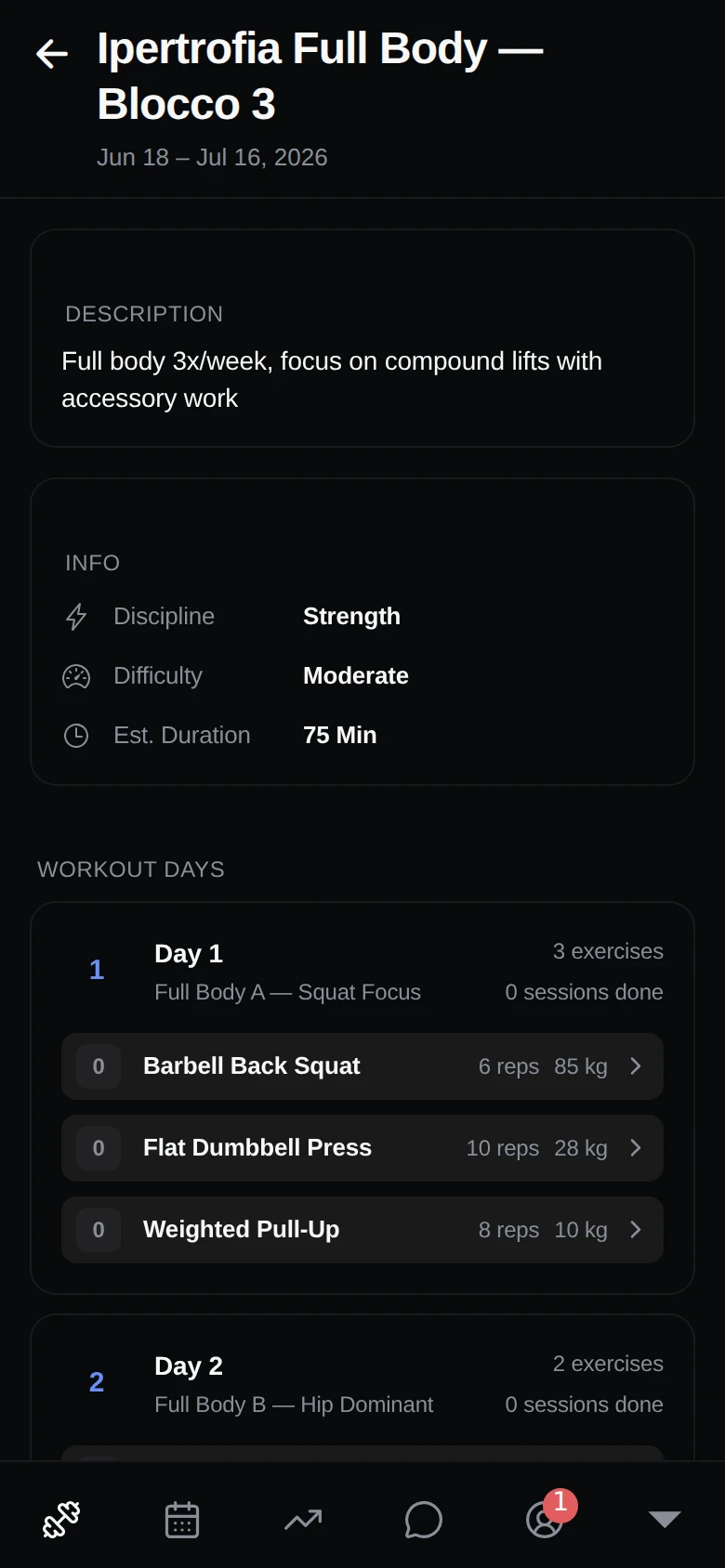
Before you start
Open a workout to see its full list of exercises before you begin. This lets you preview the session and know what’s coming.
During the session
Tap to begin a session — or resume one you started earlier. For each exercise you’ll see:
- The target sets, reps, and weights your coach planned.
- Form guidance to help you move well.
As you go, log what you actually did:
- Your real sets, reps, and weight.
- Your rest between sets.
- Any notes you want to remember.
- An effort rating (RPE) for how hard it felt.
Voice announcements
You can turn on optional voice announcements that call out your rest timers and the next exercise, so you can keep your phone in your pocket and stay focused on lifting.
Pause and come back
Need to stop partway through? Just leave — your progress is saved automatically, and you can pick up later from the Training tab.
Workouts also work offline. If you lose signal at the gym, keep logging as normal and everything updates once you’re back online.
Finishing up
When you complete a workout, give the session a difficulty rating and add any feedback. This goes straight to your coach, so they can see how the session went and adjust your plan. You can review all of it later under tracking progress.