Feedback
Review how each workout went, respond with coaching notes, and keep your queue clear.
After every workout, your athletes tell you how it went. That feedback flows straight to you, so you always know how training is landing and where to step in.
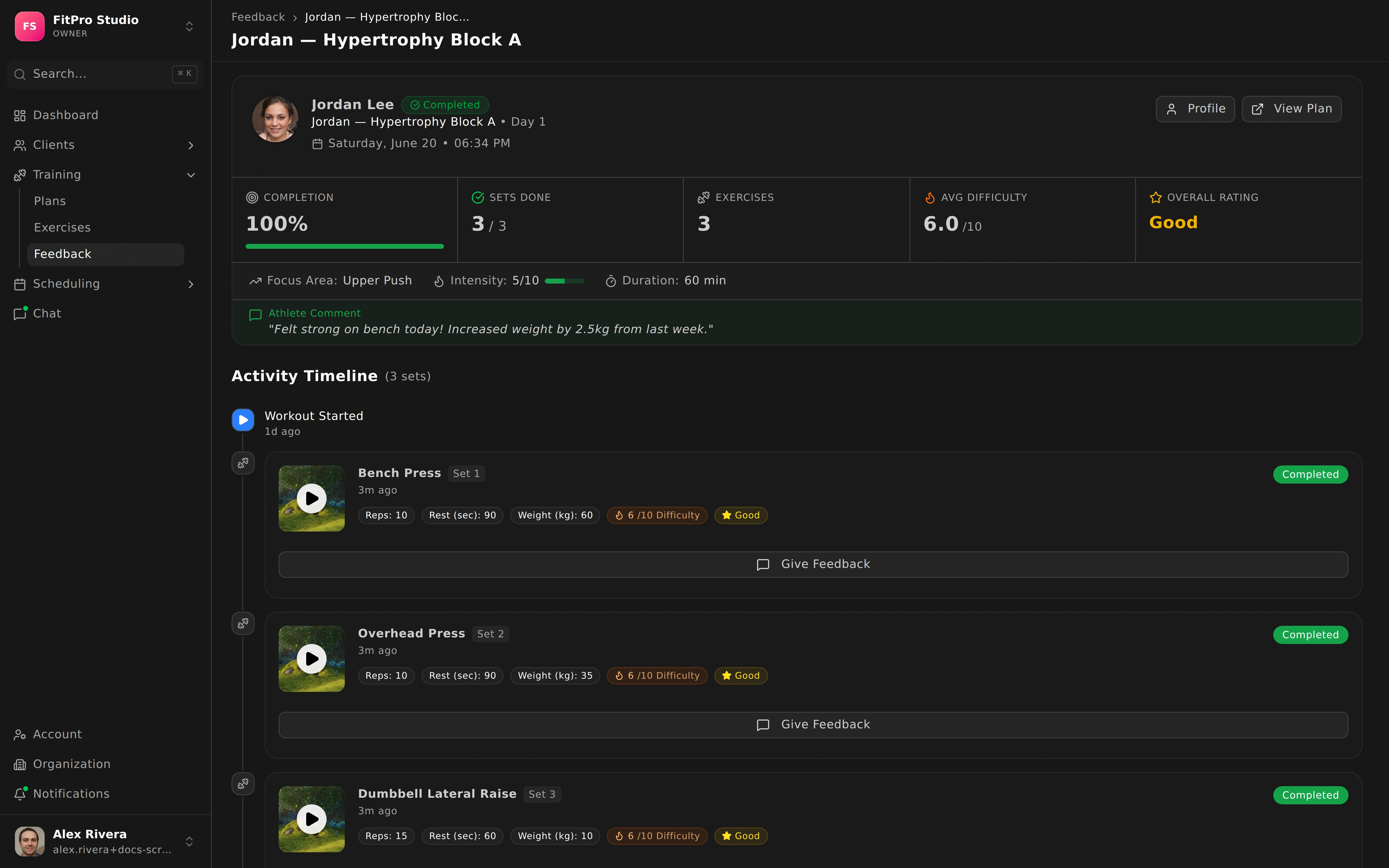
What athletes send
When an athlete finishes a session, they share:
- Completion — what they did and didn’t get through.
- Effort (RPE) — how hard the session felt.
- Notes — anything they want you to know, in their own words.
Your feedback queue
New feedback arrives as unread items with a badge so you never miss it. To work through it efficiently, filter by status:
- New — just arrived and waiting for you.
- In progress — you’ve started looking but aren’t done.
- Completed — handled and closed out.
You can also review feedback per athlete from their profile, which is handy when you want the full story on one person before a session. See managing athletes.
Responding
Close the loop on each piece of feedback:
- Respond with coaching notes to acknowledge the session and guide the next one.
- Mark items as read to clear them from your queue once you’re done.
Staying on top of feedback keeps your athletes feeling seen and helps you adjust their training plans at the right moment.