Managing athletes
Invite athletes, group them into teams, and see who needs attention at a glance.
Your athletes are at the center of everything you do in OwnFit. The Athletes area gives you a clear view of everyone you coach, while Teams help you organize them into groups.
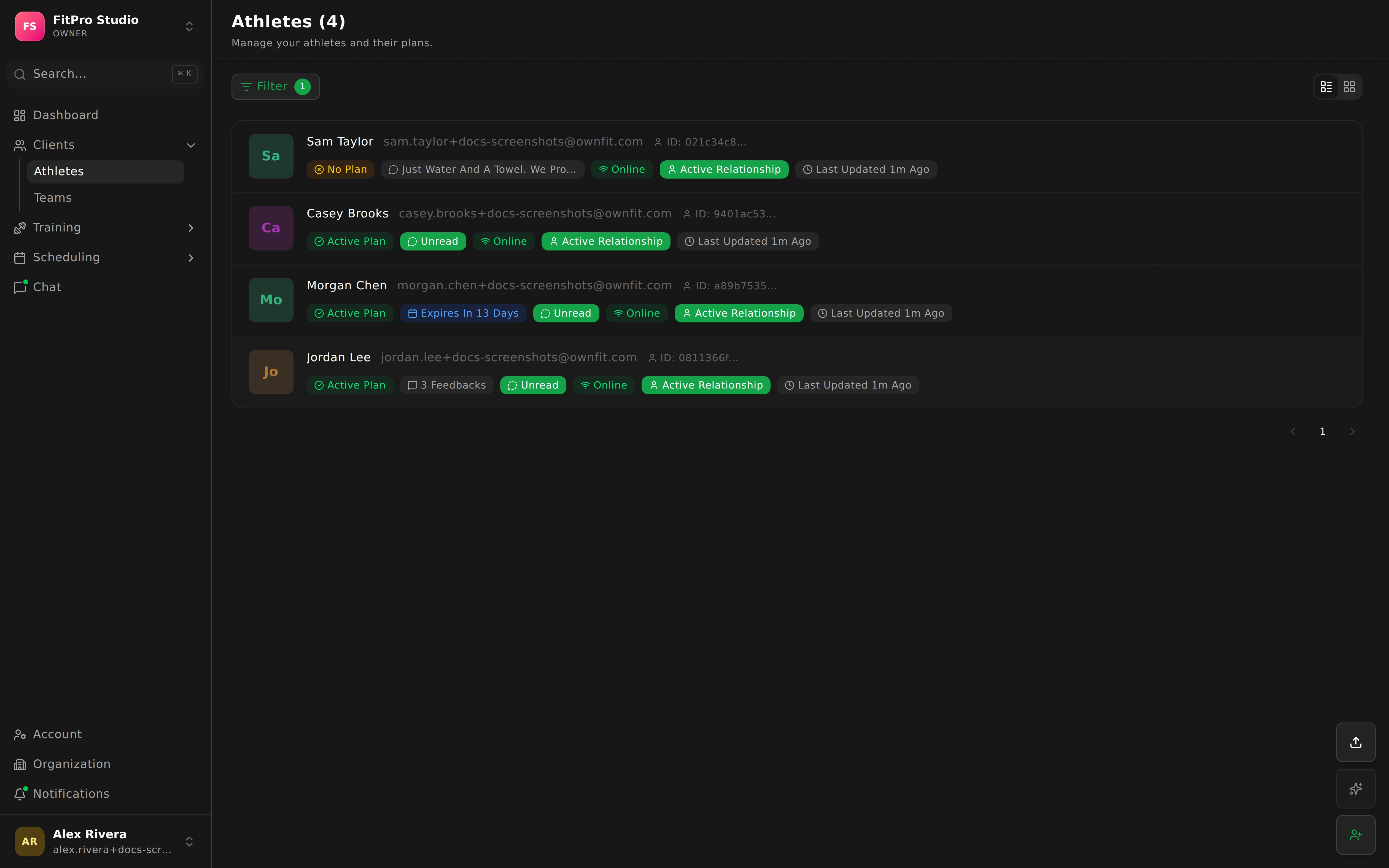
The Athletes list
Open Athletes to see everyone you coach in one list. Each athlete shows a status badge so you can tell at a glance how things are going.
When you have a lot of athletes, use the attention filter to surface just the people who need you right now — for example, someone with new workout feedback or an expiring plan.
An athlete’s profile
Open any athlete to see their full picture in one place:
- Assigned plans — the training plans they’re following.
- Workout feedback — how their sessions went. See feedback.
- Exercise progression — how their lifts and performance are trending over time.
- Physique progress — body measurements and progress photos.
- Health records — health information they’ve shared.
- Event participation — the sessions they’ve joined.
Inviting and messaging
- Invite athletes so they can create their own account and connect with you. Once they accept, they appear in your Athletes list and can use the mobile app.
- Message an athlete directly any time from their profile. See chat.
Teams
Teams let you group athletes — by cohort, location, or program — so you can manage people together instead of one by one.
- Organize athletes into the groups that make sense for your coaching.
- Use group chat to talk to a whole team at once.