Training plans
Build reusable plan templates and assign personalized programs to your athletes.
Training plans are how you turn your coaching into something your athletes can follow day to day. You build a plan once as a reusable template, then assign a personalized version to each athlete.
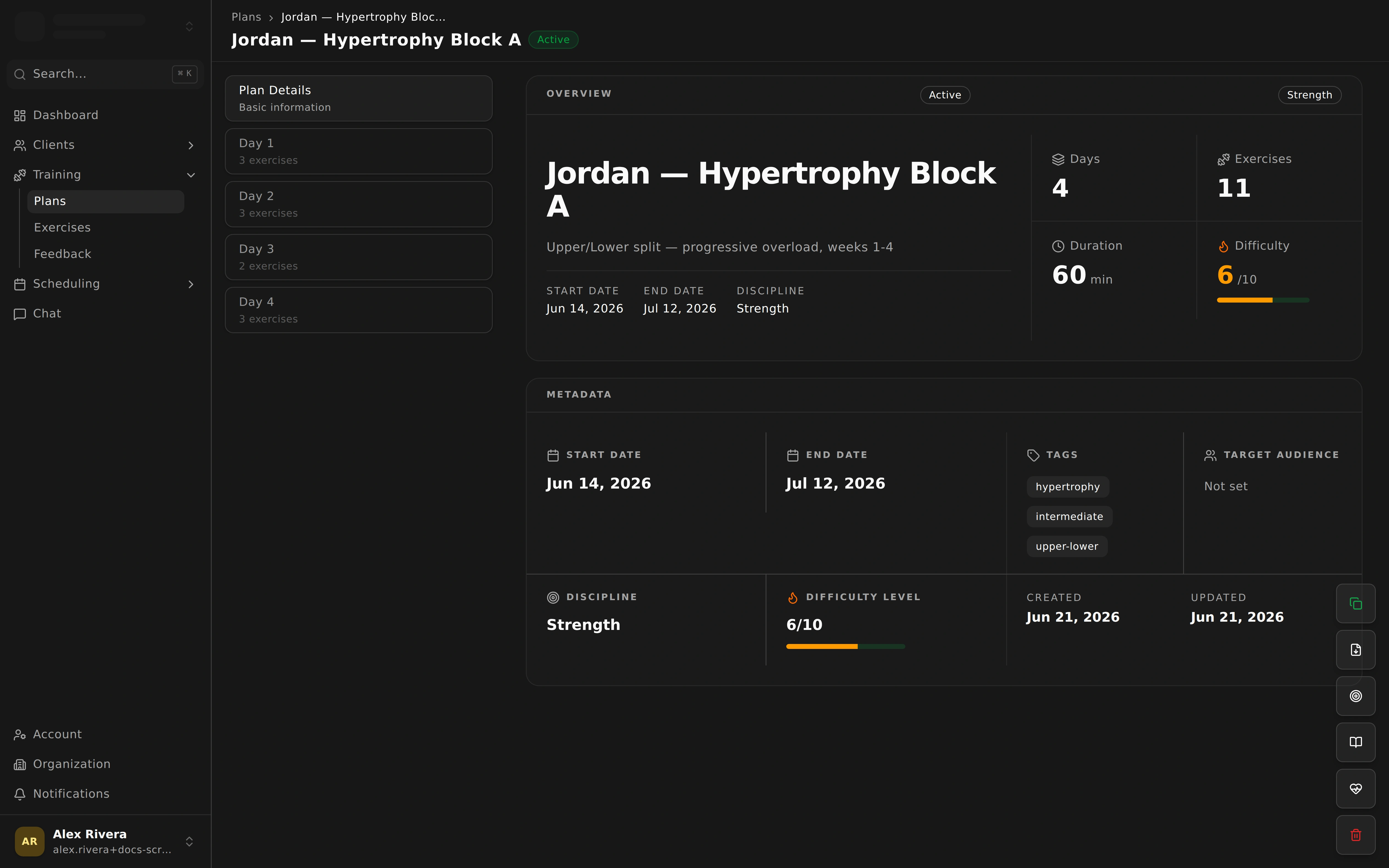
Building a plan
Structure each plan in a way that’s easy for athletes to follow:
- Break the plan into days and workout sessions.
- Add exercises to each session, pulled from your exercise library.
- Set sets, reps, and targets so athletes know exactly what to aim for.
Because plans are reusable, you can create a template once and reuse it across many athletes, tweaking the details for each person.
Assigning a plan
When a plan is ready, assign it to an athlete:
- Choose a start date and end date for the program.
- The plan immediately appears in that athlete’s mobile app, ready for them to train.
Keeping track
Stay on top of who’s training what:
- Track assignments to see which athletes are on which plans.
- Watch for expiring plans so you can refresh or replace a program before it runs out — these also show up in your notifications.
AI-assisted plan review
OwnFit includes an optional helper that reviews a plan’s structure and progression for you. It’s there to offer a second set of eyes as you build — a quick sanity check on how a program is laid out. You stay in control of every decision.
Once assigned, athletes work through their plan and send back feedback after each session, so you can adjust as you go.